


memoryOS: Improve Your Memory
4.81.10K Reviews
App Specs
- Version
- 1.5.7
- Updated On
- License
- Free
- Downloads
- 100,000+
- Developer
- Encoder Inc.
- Categories
- Education
- Platform
- Android
Screenshots

 Analysis by AppCompare
I tend to forget information when I’m rushing, so I’m interested in tools that help me practise remembering rather than simply store another note. memoryOS takes that learning-focused approach: it is an education app from Encoder Inc. built around memory exercises. I found the idea appealing because it asks me to work with information instead of outsourcing recall to a search box. That distinction matters if your goal is to get better at remembering, not just to keep a more organised list.
Where the app stands now
The current release is version 1.4.9, and the app has been available since July 12, 2022. Its store presence suggests a settled product with an established audience: it has a 4.8 average rating from around 10,000 ratings and more than 100,000 installs. Those figures are useful context, but they don’t tell me whether its approach will suit every learner. Memory practice is personal; some people enjoy structured drills, while others would rather use flashcards or a notebook tied directly to their coursework.
It is free to download, with optional in-app purchases ranging from $0.99 to $149.99 per item. I’d treat that as a reason to check the purchase details in the app before committing to anything beyond the free experience. The age rating is Everyone, and the listed minimum operating system is Android 8.0. For someone who wants a low-friction way to try memory training, that makes it easy to consider, while the range of optional purchases means it is sensible to decide on a budget first.
Using memoryOS in a real routine
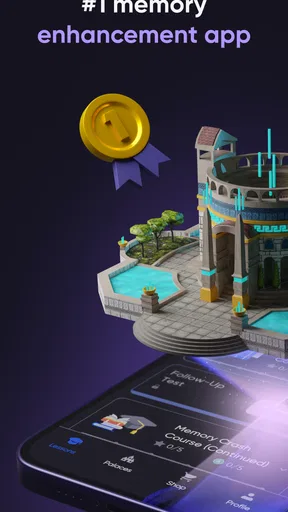
Installing memoryOS was a breeze, and I was up and running within minutes. The app greets you with a sleek, user-friendly interface that doesn’t overwhelm you with too many options. It’s designed to help you dive straight into improving your memory skills without any fuss.
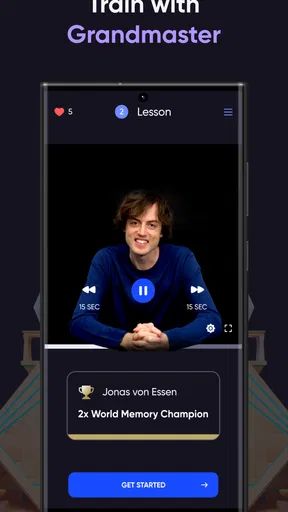
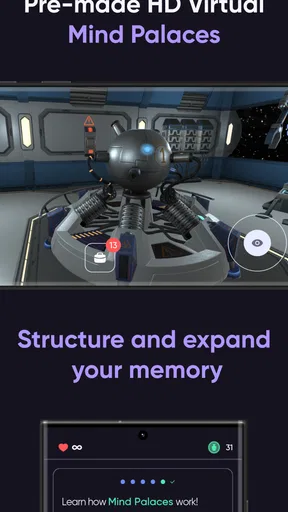
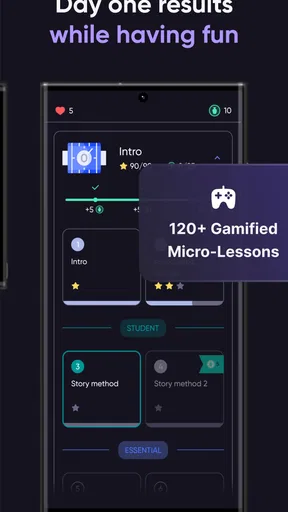
One of the first things I noticed was how intuitive everything felt. There’s a guided tutorial that explains the core principles behind the app, and I loved how it broke down the complex science of memory into digestible pieces. The app uses a combination of visualization techniques and memory exercises to help you remember things more effectively. Think of it as a gym for your brain!
Features that Make a Difference
The app is packed with a variety of exercises designed to challenge and enhance your memory. There are daily challenges, which are perfect for keeping you on your toes, and the difficulty levels are adjustable, so you can tailor them to your current capabilities. I started with the basic level and gradually worked my way up as my memory improved.
What really hooked me was the use of visual mnemonics. The app teaches you to create vivid mental images that help in memorizing information. It’s fascinating how effective this technique is, and memoryOS guides you through the process step by step. This method was a game-changer for me, especially when it came to remembering long lists or complex details.
Worth Reading Before You Choose

EA SPORTS FC Mobile 26 Is a Bigger Football Game, but It Takes Time

Flipboard Shows What News Apps Must Do Beyond the Feed

Switching to Android Auto Means Rethinking Your Driving Routine

Google Calendar Makes a Crowded Week Easier to Manage

Ludo King Makes the Most of the Minutes Between Plans

Baby Panda World Brings Quick Play to Modern Phones, but Its Game Library Feels Busy
Turning practice into something useful
The best way I found to make this kind of practice relevant is to bring one small, real task to mind before opening the app. For example, if I have a short list of errands, I can use the exercise as a prompt to picture the items and their order, then close the app and see what I can retrieve without help. That final recall attempt is important: completing a drill can feel satisfying, but testing myself later tells me whether I can use the technique outside the exercise.
A realistic routine could be a few minutes during a commute or while waiting for an appointment, followed by trying to recall a name, a set of talking points, or a few items I need from a shop. I wouldn’t use it while driving or doing anything that needs my attention. I’d also avoid turning every forgotten detail into a test. The point is to practise deliberately, not to make ordinary life feel like an exam.
For students, the visual approach may help make a sequence or list more memorable, but it is not a replacement for understanding the material. I would first learn what a concept means, then use imagery as a cue for retrieving it. For work, it may be useful for practising names or remembering a few presentation points, but I’d still keep critical deadlines and exact figures in a reliable calendar or document. Memory training can support organisation; it should not be the only system protecting information that cannot be missed.
How it compares with familiar study tools
Compared with ordinary notes apps, memoryOS asks for active effort. A notes app is better when I need exact wording, searchable records, or a dependable place to save details for later. A memory exercise is a better fit when I want to practise bringing something to mind without looking it up. These tools solve different problems, so I’d use them together rather than expect one to replace the other.
Flashcards are often a practical choice for learning facts that need repeated review, especially when I want to create a custom deck around a course or subject. memoryOS is more appealing if I want guided memory exercises and practice with visualization rather than building every prompt myself. Neither approach guarantees that information will stick; the useful choice depends on what I’m trying to remember and whether I’ll consistently return to the material.
There is also a trade-off between an engaging exercise and direct application. A challenge can make practice feel less like homework, but an exercise completed in the app may not transfer automatically to a difficult textbook, a meeting, or a new person’s name. I’d treat the app as a place to learn and rehearse techniques, then deliberately try those techniques in the situations where I need them.
Feedback, motivation, and limits
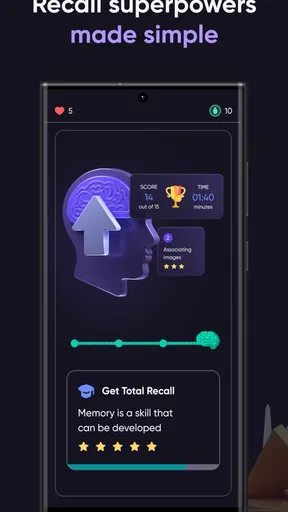
Another standout feature is the personalized feedback. After completing exercises, memoryOS provides insights into your performance and suggests areas for improvement. It’s like having a personal trainer who knows exactly what you need to focus on to get better. The app tracks your progress over time, which is really motivating as you can visually see how far you’ve come.
My caution is to read progress as a record of practice, not as proof that I will remember every kind of information better in daily life. Doing well on an exercise can reflect familiarity with that exercise as much as broader recall. To keep the feedback useful, I’d pay attention to which strategies help me retrieve information later, and not chase a high score at the expense of applying what I’ve learned.
The app also has a community aspect where you can connect with other users. Sharing tips and experiences adds a social element to the app that I found quite enriching. It’s always great to know you’re not alone on this journey to a sharper memory.
That social element may help someone stay engaged, but I wouldn’t assume that other users’ routines or results will match mine. I’d borrow a tip only if it fits the way I learn, and keep personal or sensitive information out of public conversations. A community can encourage consistency; it is not a substitute for a learning plan that fits a particular class, job, or memory challenge.
Who is likely to enjoy it
I’d recommend giving it a try if you enjoy short, guided practice and are curious about visual mnemonics. It may suit people who want a structured starting point, are willing to repeat exercises, and can connect practice to a real goal. The adjustable difficulty described in the app is helpful in principle: I’d begin at a comfortable level, focus on learning the method, and raise the challenge only when I can explain to myself what I’m doing differently.
I’d be less likely to recommend it as someone’s main tool if they need a searchable archive, detailed subject-specific flashcards, or a strict revision schedule. It may also frustrate someone who expects an app to make recall effortless without regular practice. If the exercises feel disconnected from what you need to learn, a notebook, a spaced-review flashcard tool, or simply rehearsing material in context could be a better use of your time.
One practical question is whether a short session is enough. I’d use brief sessions as a way to build a habit, not as a promise of quick results. Another is whether it can help with a particular difficulty, such as forgetting appointments: for that, a calendar reminder remains the safer answer. The app’s value is in practising memory techniques, while reminders and records are designed to prevent specific information from slipping through.
What has changed, and what I would watch
Version 1.4.9 is the current release, but a version number by itself does not tell me which features have changed or how the experience has evolved. The app has been around since 2022, and its continuing presence gives existing users a reason to check for updates, but I would not infer a particular new exercise or improvement without seeing it in the app. For someone returning after a break, the sensible approach is to explore the current menus and revisit the tutorial rather than assume the workflow is unchanged.
For existing users, the most useful way to judge progress is to notice whether practice is becoming easier to apply outside the app. If the same challenge feels familiar but everyday recall has not improved, I’d change the material I practise or add a deliberate real-world test. If the routine is helping, there is no need to make it longer simply because more practice is available; consistency and relevance matter more than turning a brief exercise into a chore.
Going forward, I’d watch for clear explanations of what each exercise is meant to train and for ways to connect practice with personal learning goals. Those would make it easier to choose the right exercise for a particular task. I’d also pay attention to the purchase screen before buying anything, since optional items span a wide price range. That is a practical check, not a reason to assume the free version is inadequate.
Final Thoughts
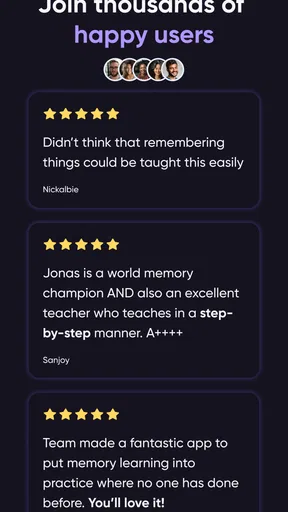
Overall, memoryOS has become a staple in my daily routine. It’s not just about remembering better; it’s about building confidence in your ability to retain information. The app is robust yet simple to use, making it accessible to anyone looking to enhance their memory.
If you’re on the hunt for an app that offers a comprehensive approach to improving memory skills, I can’t recommend memoryOS enough. It’s like giving your brain a workout, and the benefits are truly rewarding. So, next time you’re struggling to remember that important detail, give memoryOS a try—you might just be surprised at the difference it makes!
Pros
- User-friendly interface for all ages.
- Engaging exercises enhance memory skills.
- Customizable training sessions.
- Progress tracking keeps you motivated.
- Scientifically backed methods.
Cons
- Requires a subscription for full features.
- Limited offline functionality.
- Can be time-consuming daily.
- Notifications can become intrusive.
- Initial setup takes some time.
FAQs for memoryOS: Improve Your Memory
What is memoryOS and how does it work?
memoryOS is an app designed to enhance your memory by utilizing advanced memory techniques and interactive 3D environments. It combines gamified learning with proven mnemonic methods to help you retain information more effectively. The app provides a structured approach to memory improvement, suitable for both beginners and advanced users.
Is memoryOS suitable for all ages?
Yes, memoryOS is designed for users of all ages. Whether you're a student looking to improve study habits, a professional needing to remember key details, or a senior aiming to keep your mind sharp, the app provides tailored exercises and challenges to suit different age groups and learning needs.
Do I need prior knowledge of memory techniques to use memoryOS?
No prior knowledge is necessary to use memoryOS. The app offers a comprehensive introduction to memory techniques, guiding users through each step with easy-to-follow tutorials. Whether you're new to memory improvement or have some experience, memoryOS adapts to your level, making it accessible and beneficial for everyone.
Does memoryOS require an internet connection?
While an internet connection is required for initial setup and updates, many of memoryOS's features are accessible offline. This allows users to practice and improve their memory skills anytime, anywhere, without needing constant internet access. However, syncing progress and accessing new content does require connectivity.
Is there a free version of memoryOS available?
memoryOS offers a free version with limited features to give users a taste of its capabilities. For full access to all exercises, advanced techniques, and personalized progress tracking, a premium subscription is available. The app provides various subscription options to suit different budgets and preferences.


